Write-up
Dashy
Self-hosted app launcher with live status checks, dozens of widgets, and a YAML config.
Dashy is a free, open source homelab dashboard you run with Docker. Here is the install command, what the widgets need, and where it falls short.
At a glance
| Type | Self-hosted dashboard and app launcher, built for a homelab |
| Pricing | Free, open source under the MIT license. Hosting cost depends on where you run it. Checked 2026-09-29. |
| License | MIT (github.com/lissy93/dashy, checked 2026-09-29) |
| Install | Docker, Docker Compose, build from source, a pre-built release, or a one-click Netlify deploy |
| Platforms | Docker images for amd64 and arm64 (so it runs on a Raspberry Pi), on Linux, macOS or Windows hosts, reached through any browser |
| Links | Site: https://dashy.to · Docs: https://dashy.to/docs/quick-start · Demo: https://demo.dashy.to · Code: https://github.com/lissy93/dashy |
- Price
- $0 USD, checked (source)
Last checked
Screenshots
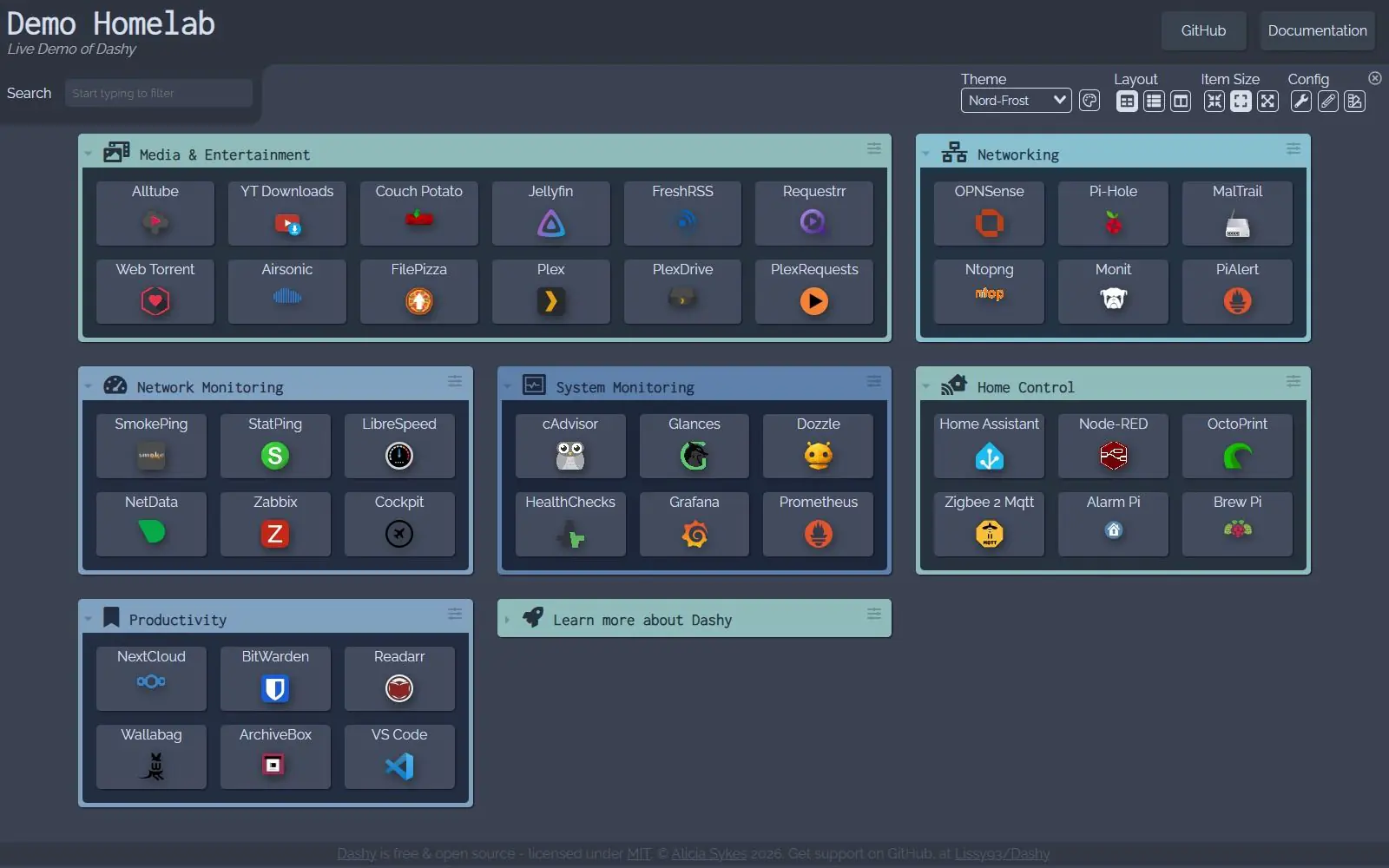
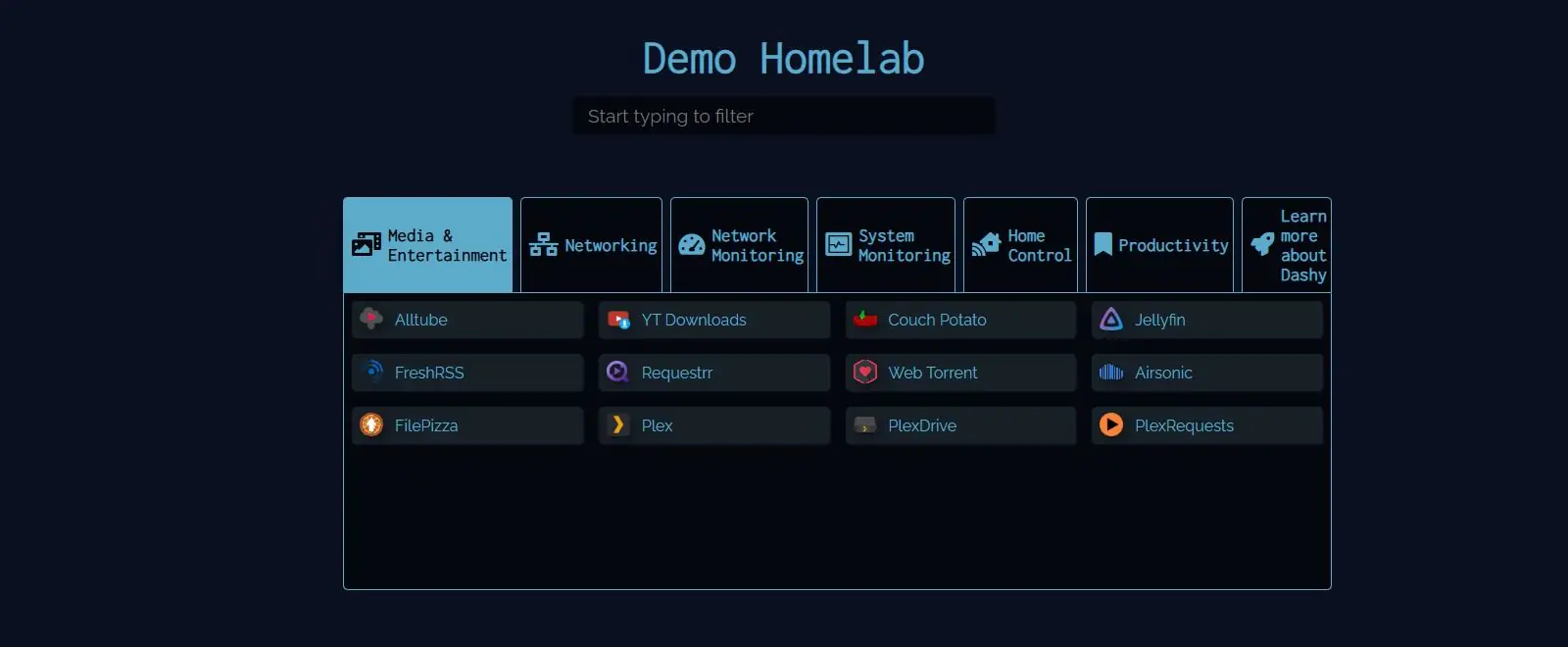
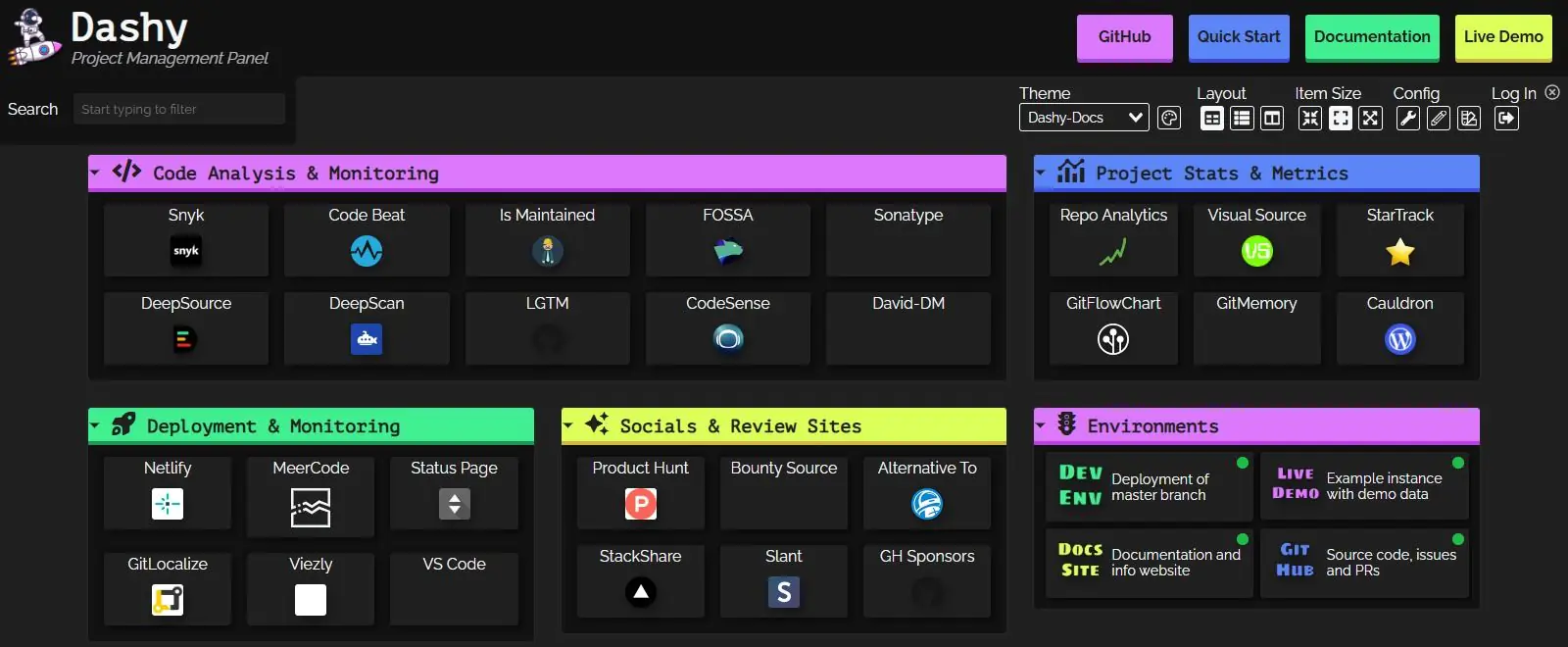
What it is and who it's for
Dashy is a self-hosted homepage for a homelab: one page listing links out to whatever you run yourself, whether that's Pi-hole, Plex, Nextcloud or a Proxmox box, plus live status checks and widgets that pull data from those same services. It was built by Alicia Sykes (GitHub handle Lissy93), who still maintains it; the repository was created in February 2021 and last pushed to on 2026-09-25 (source: GitHub API, read 2026-09-29). It's written in Vue, distributed under the MIT license, and by that same read had 26,596 stars, 1,942 forks and 18 open issues on GitHub.
The audience is specific: people who already have several self-hosted services running behind Docker and want one page to launch and watch them from. If your goal is closer to a personal start page (weather, news, a to-do list, no server involved), Dashy solves a different problem than the one you have. Its own homepage puts the pitch plainly: "an open source, highly customizable, easy to use, privacy-respecting dashboard app" (dashy.to, read 2026-09-29).
Features worth knowing
The widget catalog is the biggest single feature. The homepage states "50+ pre-built widgets for self-hosted services, productivity and monitoring" (dashy.to, read 2026-09-29), and the docs list dozens by name across three groups: general widgets (clock, weather, RSS feed, crypto prices, GitHub trending and more), self-hosted service widgets (Pi-hole, AdGuard Home, Nextcloud, Synology, Uptime Kuma, Proxmox and others), and dynamic widgets for wiring up almost anything else (iframe, HTML embed, a generic API response, Prometheus data). A status dot next to each app shows whether it's reachable, with response time on hover. Icons can be auto-fetched from a service's own favicon, or pulled from Font Awesome, Material Design Icons, emoji or a plain image URL.
Access is handled by a built-in simple auth mode with multiple users and per-user permissions, plus documented support for Keycloak and other SSO providers and separate guides for Authelia, Authentik, Tailscale and cloudflared. Beyond the default grid, there's a minimal view meant to double as a fast-loading browser start page, and a workspace view for working across several apps without leaving the dashboard.
Configuration lives in one YAML file with four top-level sections (pageInfo, appConfig, sections, pages), though it can also be edited from the UI, with changes written back to that file and validated as you go. An optional, end-to-end encrypted backup and sync service is built in, described on the homepage as free. The interface itself has been translated into English, German, French, Dutch and Slovenian, picked up automatically from the browser or set by hand.
Getting started
The docs' own quick start gives this as the install command:
docker run -d \
  -p 8080:8080 \
  -v ~/dashy-data:/app/user-data \
  --name dashy \
  --restart=always \
  lissy93/dashy:latest
(source: https://dashy.to/docs/quick-start, read 2026-09-29). That pulls the image, publishes it on port 8080, mounts a local folder for your settings, and restarts the container automatically. The same page also gives a shorter one-liner for trying it without persistence: docker run -p 8080:8080 lissy93/dashy.
Once it's running, the only file you need is conf.yml inside the mounted folder, where you list your sections and items. The docs walk through the format with a worked example. If Docker isn't an option, the same page documents building from source with Git, Node.js and Yarn, a one-click deploy to Netlify from a fork of the repository, and one-click links for six other cloud platforms (Heroku, Vercel, Render, GCP, Play with Docker, Easypanel). Beyond that, the homepage links out to guides for running it on TrueNAS SCALE, Proxmox, Unraid, Synology, NixOS, Kubernetes and several self-hosting platforms (source: https://dashy.to/, read 2026-09-29).
Pricing
Dashy is free. It's MIT licensed with no paid tier, hosted offering or license key anywhere in the repository or the docs, checked 2026-09-29. The one real cost is wherever you choose to run it, whether that's a spare machine you already own or a rented VPS, and that cost is yours regardless of which self-hosted dashboard you pick.
Limits and trade-offs
- Getting past the default config means either learning YAML or leaning on the in-app editor for the basics; features like proxying a widget's requests, setting a custom timeout or ignoring certificate errors are documented as YAML options, not UI toggles.
- A large share of the widget catalog only pays off if you already run the service it talks to. The Pi-hole, AdGuard Home, Nextcloud, Proxmox and Synology widgets, for instance, are dead weight on a dashboard that isn't already sitting in front of that infrastructure.
- The Weather widget needs your own OpenWeatherMap API key and a city name or coordinates; there's no zero-setup weather tile (source: https://dashy.to/docs/widgets, read 2026-09-29).
- You're responsible for keeping the container patched and the host it runs on secured and backed up. The docs point to a dedicated management guide for this, which is itself a sign of how much of it is left to you.
Alternatives
- Homepage (gethomepage.dev) takes a similar static, YAML-first approach, with automatic Docker label discovery as its main point of difference.
- Homarr (homarr.dev) trades YAML for a drag-and-drop layout editor and ships built-in OIDC and LDAP authentication.
- Heimdall (heimdall.site) is narrower by design: an application launcher with search and per-app live stats, rather than a full widget dashboard.
- Homer (github.com/bastienwirtz/homer) is the lightest of the group, a static page built from one YAML file with fuzzy search and no server-side component.
- Glance (github.com/glanceapp/glance) leans toward feed aggregation first, RSS and Reddit alongside server stats, rather than an app launcher first.
Questions people ask
What is the best free dashboard software?
There is no single best pick; it depends on whether you're indexing a homelab or just want a page of bookmarks. Dashy is one of the more established free options for the homelab case. It's open source under the MIT license, has been maintained since 2021, and had 26,596 GitHub stars and 1,942 forks as of 2026-09-29.
How can I create my own dashboard for free?
If you're comfortable running Docker, Dashy is one route. You pull the image, mount a folder for your settings, and write your links and widgets into one YAML file. There's no license fee; the only real cost is the machine or VPS you run it on.
What is the best homepage for a homelab?
Dashy is one of several homelab homepages people compare, alongside Homepage, Homarr and Heimdall. Its own draw is a very large widget catalog and live status checks for the services you list, on top of a YAML config with a UI editor over it.
Sources
- https://dashy.to/ (read 2026-09-29)
- https://dashy.to/docs/quick-start (read 2026-09-29)
- https://dashy.to/docs/widgets (read 2026-09-29)
- https://demo.dashy.to (read 2026-09-29)
- https://github.com/lissy93/dashy, via the GitHub API,
repos/Lissy93/dashy(read 2026-09-29) - https://github.com/lissy93/dashy/releases/tag/4.7.0, via the GitHub API,
repos/Lissy93/dashy/releases/latest(read 2026-09-29) - DashSuey product information (dashsuey.com), checked 2026-09-29
Last checked: 2026-09-29.
Last checked