Write-up
Single Dashboard
Hosted command center dashboard sized for multi-monitor desktops, wall screens and TVs.
Single Dashboard puts widgets on a wall screen, TV or multi-monitor desk. Here is what its plans cost, what the 3-day trial unlocks, and where it falls short.
At a glance
- Type: hosted personal dashboard built for multi-monitor desks, wall-mounted screens and TVs (singledashboard.com, read 2026-09-29)
- Pricing: no free plan. Starter is $12.95 a month, Pro is $24.92 a month, Diamond is $48.95 a month, each behind a 3-day trial that requires payment details up front (singledashboard.com/pricing, read 2026-09-29; singledashboard.com/get-started, read 2026-09-29)
- License: proprietary. Its terms of service keep the service's own content and code as the company's exclusive property (singledashboard.com/terms-conditions, read 2026-09-29)
- Install: none. It runs in a web browser at singledashboard.com; there is no extension or app (singledashboard.com, read 2026-09-29)
- Platforms: web
- Links: singledashboard.com · Pricing · Get started
- Price from
- $12.95 USD, checked (source)
Last checked
Screenshots
What it is and who it's for
Single Dashboard is a hosted dashboard pitched squarely at big and multiple screens: a spare monitor, a wall-mounted touchscreen, a TV, even a smart fridge display, running in whatever browser that screen has (singledashboard.com, read 2026-09-29). Its own homepage names specific integrations it can pull in: Gmail, Google Calendar, Google Tasks, Trello, Asana, Figma, TradingView, YouTube, Vimeo and SoundCloud, alongside a run of live-data sources aimed at hobbyists, Windy, WindGuru, Marine Traffic, ADS-B Exchange and geOps.
It calls itself a beta product in its own terms of service, which warns that "the Service may contain bugs, errors, and inaccuracies" and that features can be added or removed without notice (singledashboard.com/terms-conditions, read 2026-09-29). That fits an audience willing to tolerate some rough edges in exchange for a dashboard sized for something bigger than a laptop, whether that is a home office with several monitors or a wall screen meant to be glanced at across a room.
Features worth knowing
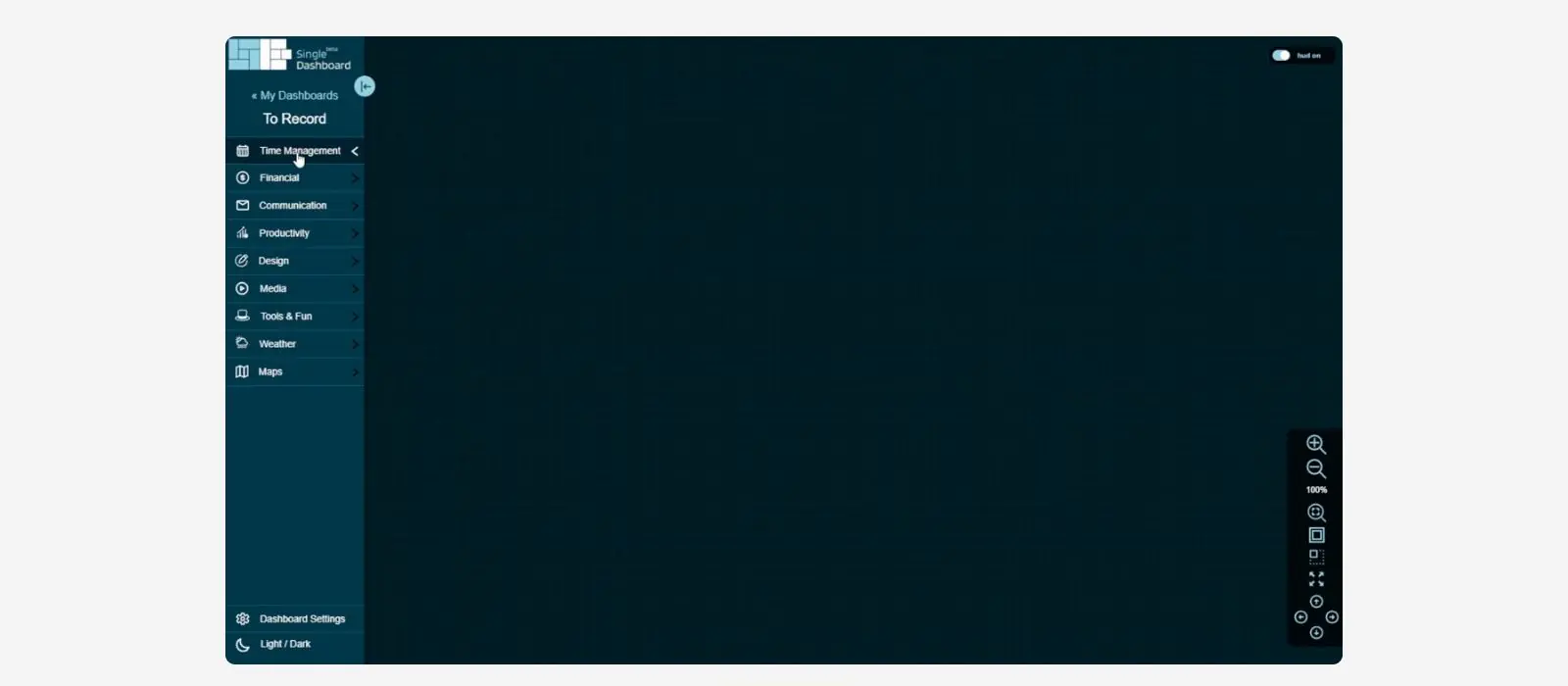
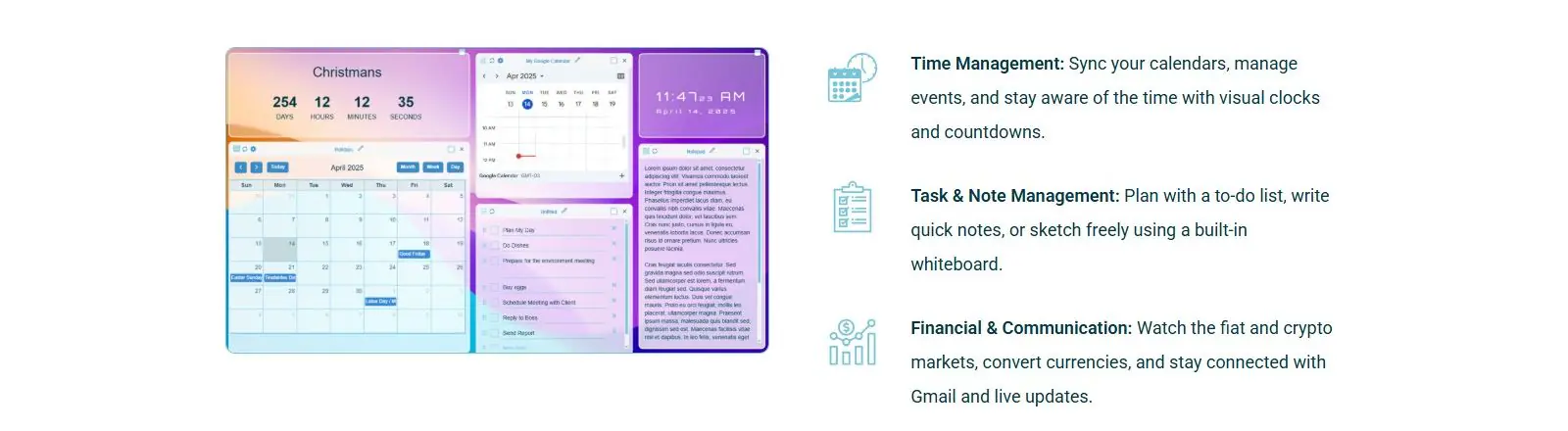
The homepage groups its widgets loosely into time management (calendar sync, clocks, countdowns), tasks and notes (a to-do list, quick notes, a whiteboard), and financial and communication tools (fiat and crypto market watching, a currency converter, Gmail). A zoom-and-pan canvas lets you move around a dashboard bigger than one screen, and each device saves its own view of the layout, so the same account can look different on a desktop than on a wall-mounted tablet (singledashboard.com, read 2026-09-29).
Layout is drag and drop, with widgets resizable to a pixel-specific size or a grid cell, and a choice of background image. Beyond its own widgets, third-party embeds cover project boards (Trello, Asana), a design tool (Figma), and video or music (YouTube, Vimeo, SoundCloud), connected through what its terms describe as OAuth-based authorization (singledashboard.com/terms-conditions, read 2026-09-29).
Getting started
There is no free tier to try first. The get-started page collects an account (username, email, password) alongside payment details and a plan choice, monthly or yearly, before the 3-day trial begins. The trial itself only unlocks 2 dashboards no matter which plan is chosen; the rest of that plan's dashboard count opens once the trial converts to a paid subscription (singledashboard.com/get-started, read 2026-09-29).
Pricing (checked 2026-09-29)
Three monthly plans, billed through Stripe: Starter at $12.95 a month for 5 dashboards, capped at a 2560x1440 screen size; Pro at $24.92 a month for 15 dashboards with no screen-size cap; and Diamond at $48.95 a month for 50 dashboards, also uncapped. All three include every widget and a background image. A yearly toggle cuts the price by 20 percent, working out to $124.32, $239.23 and $469.92 a year for Starter, Pro and Diamond respectively (singledashboard.com/pricing, read 2026-09-29; singledashboard.com/get-started, read 2026-09-29).
Every plan starts with the same 3-day trial, and the trial only opens 2 of whichever plan you picked. Subscriptions renew automatically at the end of each billing period unless canceled first, and no refunds are given for a partial period (singledashboard.com/terms-conditions, read 2026-09-29).
Limits and trade-offs
There is no free plan at all, and the cheapest paid tier caps screen size at 2560x1440, an odd restriction for a product whose whole pitch is filling a wall screen or a TV, some of which run at higher resolutions. Seeing the real interface at all means giving a payment card to a 3-day trial that only shows 2 dashboards, not the 5, 15 or 50 the chosen plan actually includes once it converts to paid.
Single Dashboard names itself a beta product in its own terms of service, which warns that data "could potentially be lost or corrupted" and that the company "may discontinue the Beta program or the Service at any time" (singledashboard.com/terms-conditions, read 2026-09-29). Its sitemap's last-modified dates run over a year stale even though the live site takes signups today, and its page titles carry a repeated, unfixed duplication bug, "Home - Single DashboardSingle Dashboard...", on the homepage, pricing and get-started pages alike, a small but visible sign of how little upkeep the marketing site itself gets.
Alternatives
- Dashly (dashly.live), free during its own early access, with a Free tier the maintainers describe as staying free forever.
- Family Dashboard (familylife.space), free, built around a household's shared schedule rather than a wall-mounted command center.
- Protopage (protopage.com), a free widget-based start page you can also point a spare screen at.
- start.me (start.me), a bookmark-first start page with a small free tier and a $25-a-year paid tier.
Questions people ask
What is a personal dashboard?
A personal dashboard is a single page that gathers the things someone checks often, a calendar, email, the weather, live data, into one view instead of several browser tabs. Single Dashboard applies that idea to a bigger screen than usual: a spare monitor, a wall mount or a TV, rather than just a laptop.
How do I create a personal dashboard?
For Single Dashboard specifically, that means registering an account, entering payment details for a 3-day trial, then adding and arranging widgets on the 2 dashboards that trial unlocks. There is no way to try it without a card on file.
What is the best free dashboard software?
Single Dashboard is not it. There is no free plan, only a 3-day trial that requires payment details and shows just 2 of the dashboards the chosen plan actually includes. Dashly, Family Dashboard and Protopage are free options worth checking first if cost matters more than screen size.
Sources
- singledashboard.com, read 2026-09-29
- singledashboard.com/pricing, read 2026-09-29
- singledashboard.com/get-started, read 2026-09-29
- singledashboard.com/terms-conditions, read 2026-09-29
- DashSuey product information (dashsuey.com), checked 2026-09-29
Last checked 2026-09-29.
Last checked