Write-up
DashSuey
Personal dashboard with widgets you drag, resize and save to your own board.
DashSuey is a hosted personal dashboard: widgets you drag, resize and save to your own board. Here is its free plan, its real limits, and how it compares.
At a glance
- Type: hosted personal dashboard. It is a web page at dashsuey.com that a person signs into, not something installed.
- Pricing: a $0 Free plan and a $5-a-month Pro plan, checked 2026-09-23. See Pricing below.
- License: closed source. There is no public repository and nothing to self-host.
- Install: none. Sign in at app.dashsuey.com.
- Platforms: web only. No browser extension and no mobile app.
- Links: sign in · public roadmap · Discord
(Source: DashSuey product information (dashsuey.com), checked 2026-09-29.)
- Paid plans from
- $5 USD, checked (source)
Last checked
A personal dashboard you arrange yourself.
Sponsored by DashSuey, made by the people who maintain this list.
Screenshots
What it is and who it's for
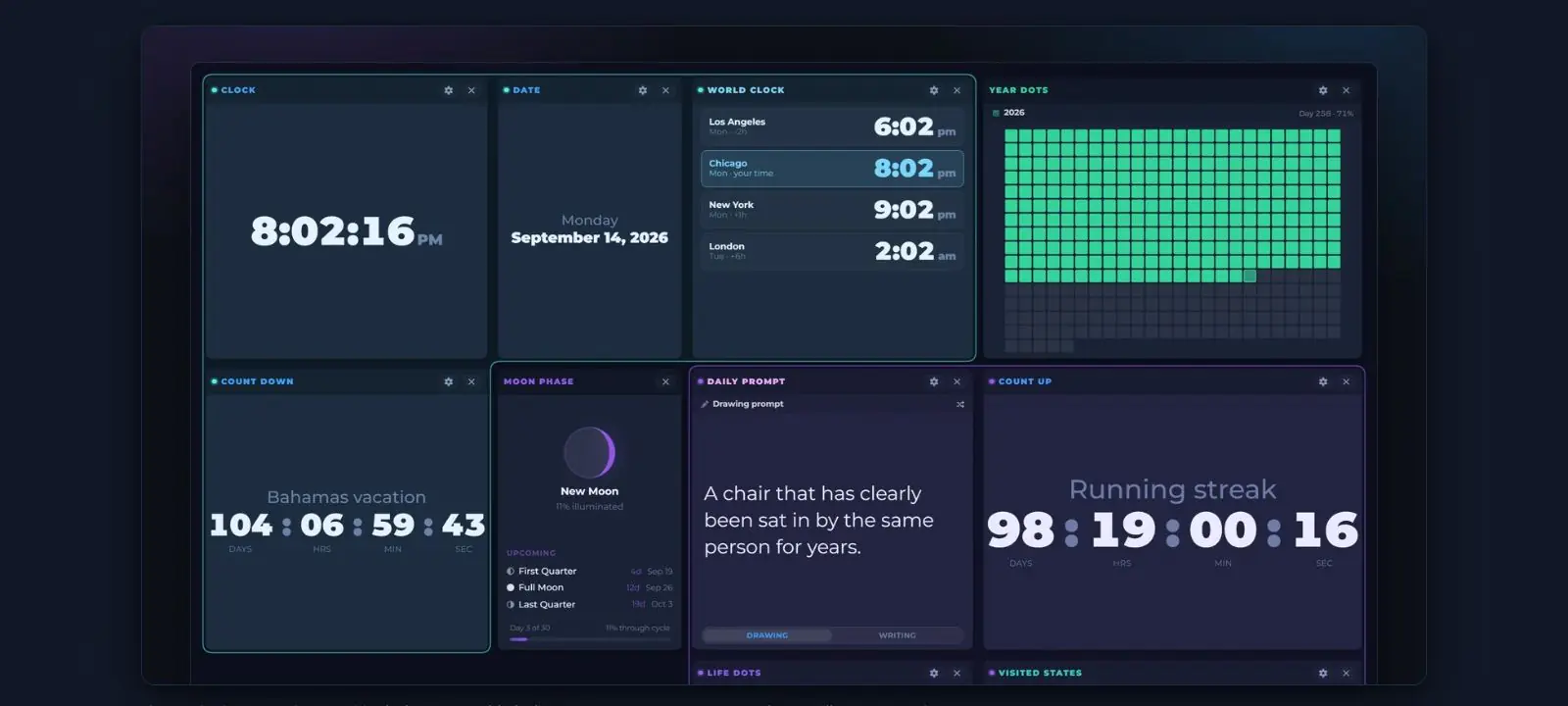
DashSuey is a board you build yourself out of widgets: small tiles for time, weather, reading, developer tools, personal tracking, and money and media. A person adds the ones they want, drags them into place, resizes them, and the layout saves to their account, so the same board follows them from one browser or computer to the next. It suits someone who wants one page to open every day rather than a folder of bookmarks or several separate apps, and who does not mind signing in for that page to remember anything.
It is not for someone who wants to self-host their dashboard, wants a browser extension that replaces every new tab automatically, or wants a native phone app. None of those exist here.
Features worth knowing
DashSuey ships 38 widgets across six groups, in this order:
- Time (5): Clock, with a digital face and an analog face; Date; World Clock, showing the time in several places at once against your own; Count Down; Count Up.
- Weather & sky (5): Weather, Forecast, Sunrise & Sunset, and Air Quality, all with no API key to set up; and Moon Phase.
- Reading (7): Hacker News, News Feed (takes any RSS address, beyond the built-in picks), Wikipedia, Daily Quote, Word of the Day, Daily Prompt, and Weird Fact of the Day.
- Developer (7): Lighthouse, Core Web Vitals, Search Console, GitHub Contributions, GitHub Trending, Claude Usage, and Your IP Address.
- Personal (9): Todo List, Reminders, Sticky Note, Simple Table, Search, Unit Converter, Visited States, Year Dots, and Life Dots.
- Money & media (5): Currency Rates, Spotify, Album Wall, Image Channel, and Social accounts.
A few are worth a closer look.
The Developer group is the widest of the six, built for anyone who runs a website rather than just anyone with a browser. Lighthouse reads four PageSpeed Insights scores (performance, accessibility, best practices, SEO) for mobile and desktop together, from just a URL, with no Google account or API key needed. Core Web Vitals reads the Chrome UX Report's real-user data over the last 28 days, phone and desktop combined, also from just an address, with no Google account needed. Search Console reads clicks, impressions, click-through rate and average position for one connected property over 7, 28 or 90 days; its average position is worked out per day rather than per impression, so it will not always match the same number inside Search Console itself. GitHub Contributions shows 3, 6, 9 or 12 months of a connected account's contribution calendar, with the total and each day's count on hover.
Life Dots and Year Dots turn a life, or a year, into a grid of dots: one filled per week, month or year lived, or one per day gone by.
Spotify shows the track currently playing with working playback controls, layered over the album cover, under it, or with the cover alone.
Weather and Forecast read live, using MET Norway's forecast data, credited as "Based on data from MET Norway (CC BY 4.0)" next to the reading. Forecast shows how much rain to expect each day rather than a percentage chance of rain, since MET Norway does not publish a chance of rain outside the Nordic countries. A stored reading says how old it is. Sunrise & Sunset is worked out with SunCalc instead, to within a minute of the US Naval Observatory's times.
A few things apply across every widget. Each one resizes and keeps its own settings. There are four themes to pick from (Space, Dark, Light, CRT). A new account can start from a ready-made board ("At a glance," "Working day," "Developer" or "Something to read") instead of a blank grid, and a person can download their own data at any time.
Getting started
Create an account or sign in at app.dashsuey.com. A new account starts on the Pro plan for 14 days with no card asked for, then becomes Free unless the person chooses Pro. It can build its first board from one of the ready-made starting points or from a blank grid.
Pricing
Checked 2026-09-23, against the live plan settings.
| Free | Pro | |
|---|---|---|
| Price | $0 | $5 a month, billed monthly. No yearly price exists. |
| Widgets | Up to 10 | No cap |
| Boards | 1 | Up to 5 |
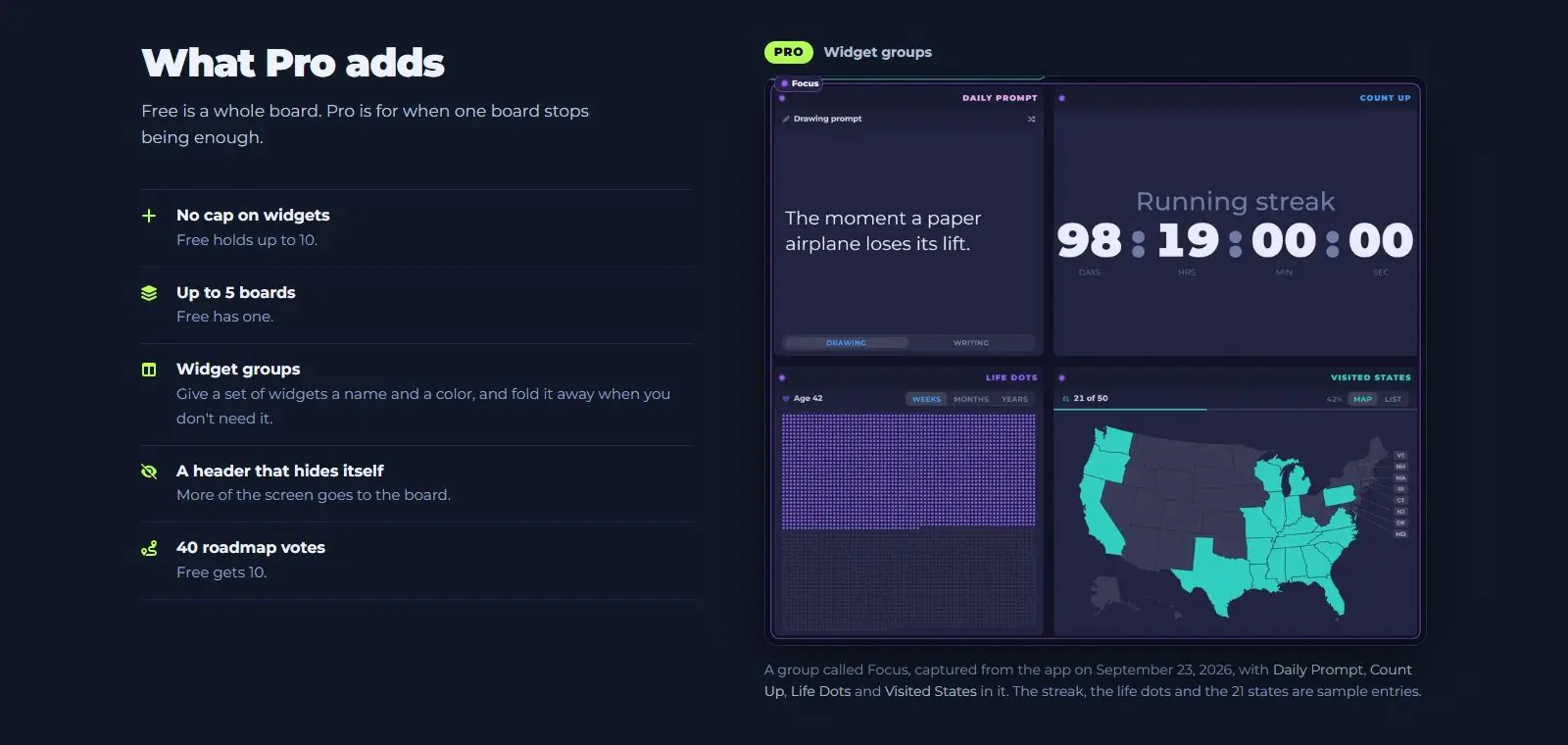
| Widget groups (named, colored, fold away) | No | Yes |
| Auto-hide header | No | Yes |
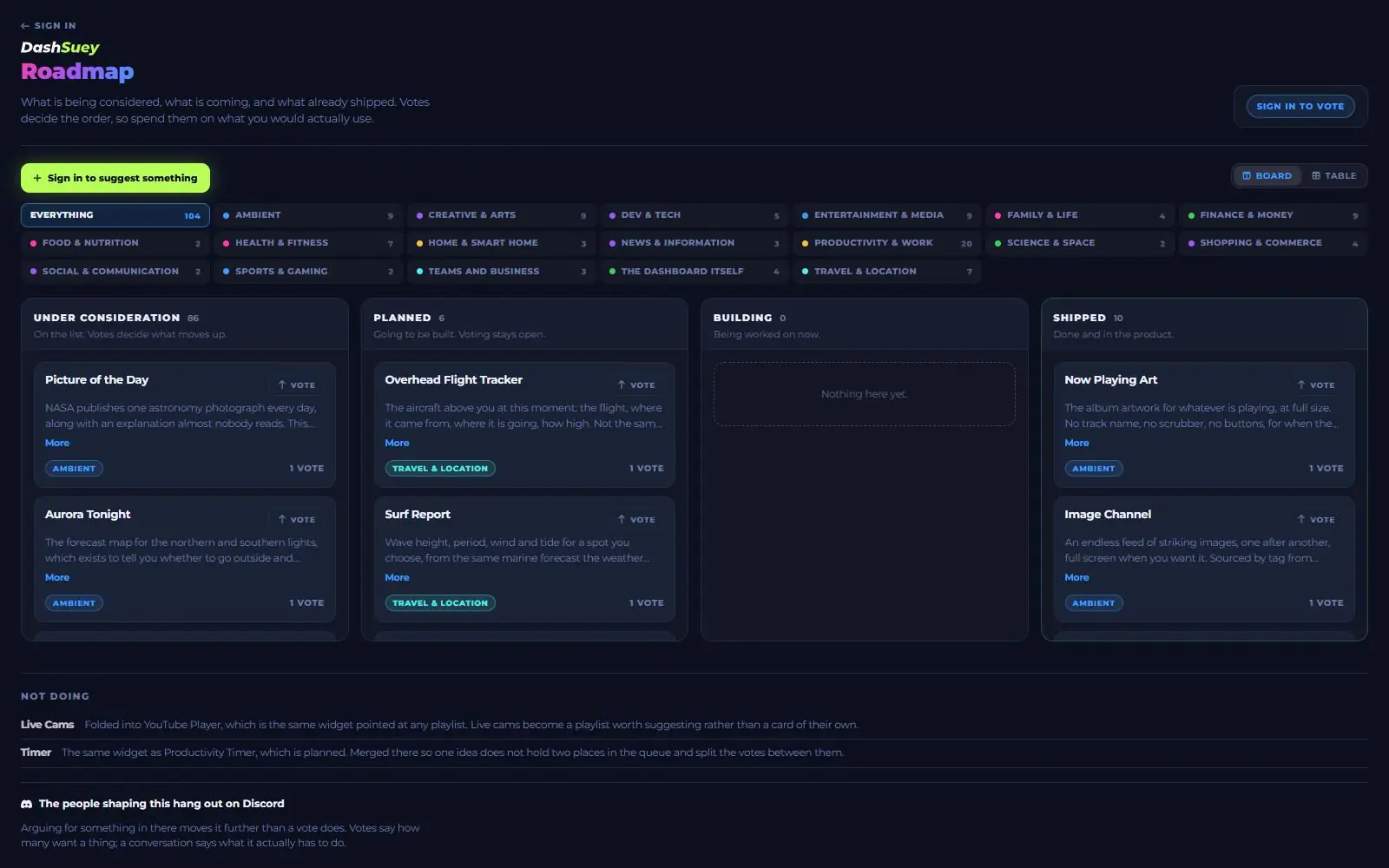
| Roadmap votes | 10 | 40 |
Every new account starts on Pro for 14 days, no card required. When the 14 days end, the account becomes Free unless the person chooses Pro. Nothing is deleted when a trial ends: a board or a widget past the Free plan's limit is locked rather than removed, and picking Pro later unlocks it again.
Limits and trade-offs
DashSuey needs an account. There is no anonymous or local-only mode, so nothing on the board exists until someone signs in and builds it.
Closed source is part of the deal too: no public repository, no way to self-host it, nothing to inspect. Judge it by what it does instead.
No browser extension, no mobile app. It is one web page, so it will not take over a browser's new tab on its own, and there is nothing to install on a phone.
The Free plan caps out at 10 widgets on a single board, and named or colored widget groups and the auto-hide header are Pro-only. A Free board stays one flat, always-visible list of tiles.
Settings do not sync between browsers the way the board itself does. The board, its widgets, their positions and their settings, plus boards, groups, to-dos and reminders, all follow an account between browsers. The chosen theme, the typeface and whether the header auto-hides do not; those stay set per browser.
The Social accounts widget reads follower counts for Bluesky, Mastodon and YouTube from a handle, with no sign-in needed, up to eight accounts in one widget. Instagram, Facebook, Threads, TikTok and X are not open to the public in the same way, so DashSuey does not offer them.
Alternatives
- Dashly: a hosted dashboard with bookmarks, weather, world clocks and a to-do list. Its free plan allows one dashboard and up to 20 widgets, more generous on both counts than DashSuey's free tier, though Dashly's paid Plus and Pro prices are still marked as planned post-launch rates rather than charged today.
- Family Dashboard: a free household command center for shared schedules, lists and updates, paired directly between family devices with no account and no cloud sync. A better fit for a household board than an individual one.
- FamilyDash: a single app built around chores, allowance, a shared calendar, groceries and meal planning, with iOS and Android apps. A better fit for a household that wants chore tracking and meal planning than for someone who wants a personal widget board.
- Single Dashboard: a paid command center sized for multi-monitor desktops, wall screens and TVs, with no free plan, only a 3-day trial that unlocks 2 of a plan's dashboards.
- Protopage: a widget-based start page with private, public or password-shared tabs, free with no paid plan found on the site.
- start.me: a bookmark-based start page with widgets and page sharing; its free plan runs ads and caps out at 3 pages, while its $25-a-year Personal PRO plan removes ads and adds 9 PRO-only widgets on top of the 30 standard ones.
Questions people ask
What is a personal dashboard?
A personal dashboard is a single page that gathers small tools and live information, such as a clock, the weather or a to-do list, so a person does not have to open several sites to see them. DashSuey is one example: a hosted board of widgets a person drags, resizes and arranges themselves.
What is the best free dashboard app?
There is no single best free dashboard app; different people want different widgets on it. Judged on its own free plan, DashSuey's is $0 with up to 10 widgets on one board; more widgets or a second board need its $5-a-month Pro plan.
What is a widget on a dashboard?
A widget is one self-contained tile on a dashboard, showing or doing one thing (a clock, a weather reading, a to-do list), usually movable and resizable on its own. DashSuey's tiles are called widgets for the same reason: each one keeps its own settings and resizes independently of the rest of the board.
What is the difference between a widget and a dashboard?
A dashboard is the whole page; a widget is one piece placed on it. On DashSuey, the whole page is called a board, and it holds however many widgets a person chooses to add.
Sources
- DashSuey product information (dashsuey.com), checked 2026-09-29.
- app.dashsuey.com, read 2026-09-29. Sign-in address.
- app.dashsuey.com/roadmap, read 2026-09-29. Public roadmap.
- Discord, read 2026-09-29.
- dashly.live, familylife.space, singledashboard.com, protopage.com, start.me, each read 2026-09-29, for the Alternatives section.
Last checked 2026-09-29.
Last checked