Write-up
Momentum
New tab extension pairing a photo backdrop with a daily focus and to-do list.
Momentum replaces your new tab with a daily photo, quote and to-do list. Here is what the free tier covers, what Plus costs, and where the limits are.
At a glance
- Type: browser extension that replaces the new tab page (momentumdash.com, read 2026-09-29)
- Pricing: free with no account, or Momentum Plus at $39.95 a year; a Momentum Team plan runs $40 a user a year (momentumdash.com/plus, read 2026-09-29)
- License: proprietary, marked "All Rights Reserved" on its Firefox listing (addons.mozilla.org, read 2026-09-29)
- Install: Chrome Web Store, Firefox Add-ons, Microsoft Edge Add-ons, Apple App Store (momentumdash.com/download, read 2026-09-29)
- Platforms: Chrome, Firefox, Edge, Safari, and an iOS app (momentumdash.com, read 2026-09-29)
- Links: momentumdash.com · Plus pricing · Download page
- Paid plans from
- $39.95 USD, checked (source)
Last checked
Screenshots
What it is and who it's for
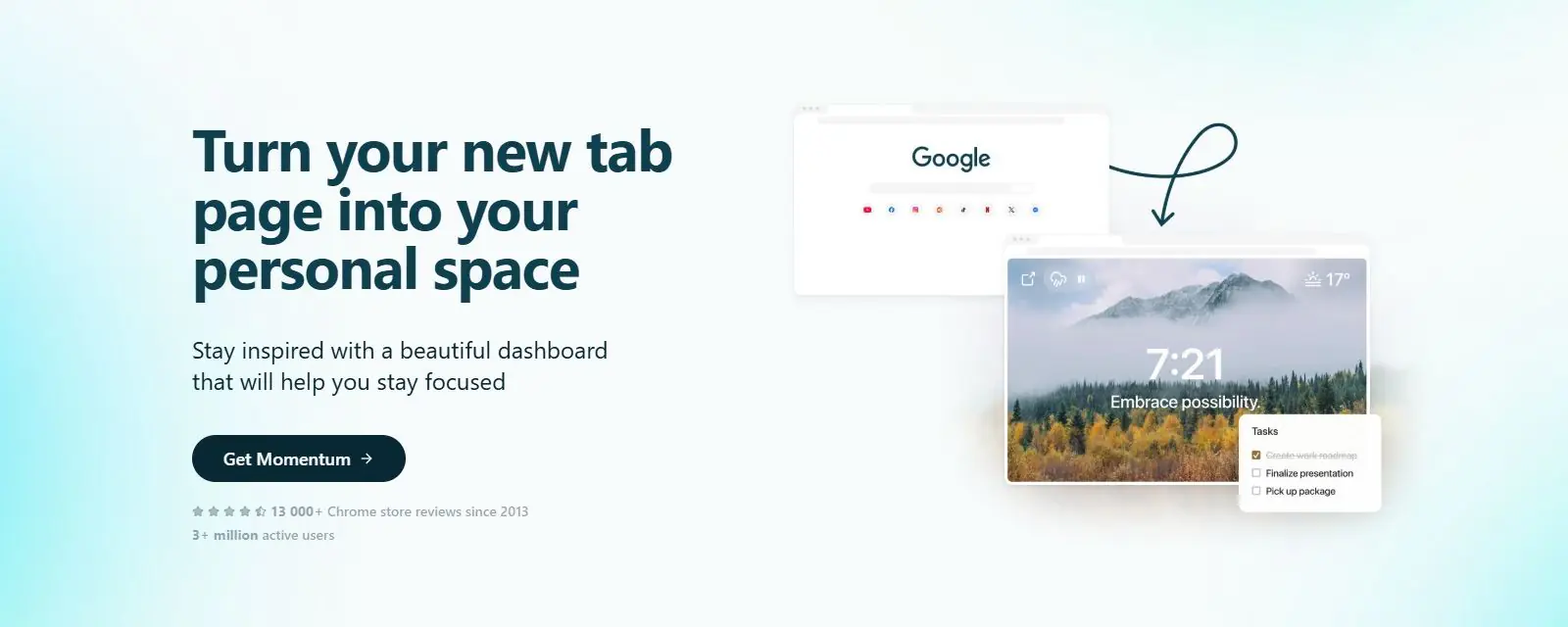
Momentum is a browser extension made by Momentum Dashboard Corp., a small team based in Victoria, British Columbia (legal/privacy, read 2026-09-29). It replaces your browser's new tab page with a single scene: a full-bleed photo, a rotating quote or mantra, a greeting, a daily goal, and a short to-do list. You do not need an account to use it. Choosing "Stay logged out" during setup keeps it working locally; creating an account later syncs the same data across your other browsers (momentumdash.com, read 2026-09-29).
It suits someone who opens a lot of tabs and wants that moment to double as a small reset. It is not built for a dense grid of live data, and it is not aimed at a homelab or a server room. A separate Team plan extends the same idea to a group, with shared resources, objectives and branding, but that sits apart from the personal extension covered here.
Features worth knowing
The free tier rotates a daily photo, quote and mantra on every new tab, and includes a basic to-do list, Google or Outlook calendar sync, and Focus Mode with a capped amount of time each day.
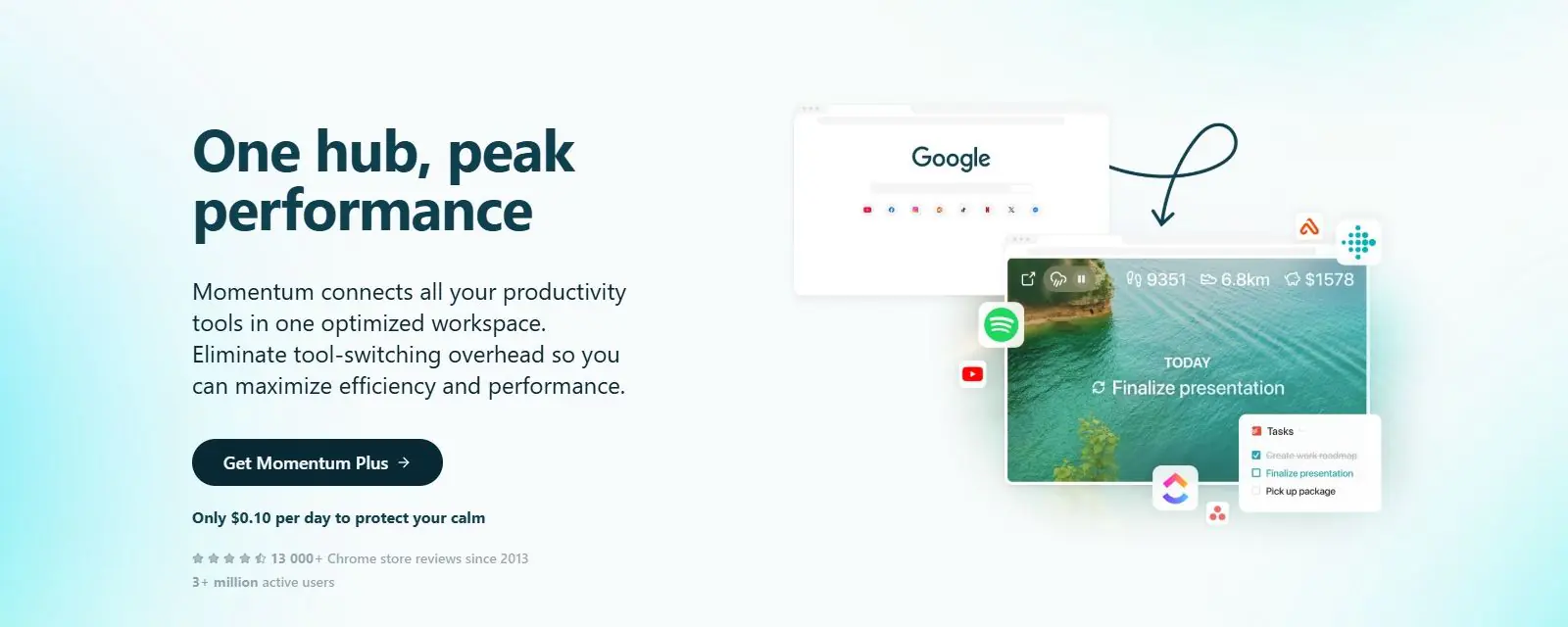
Plus removes that Focus Mode cap and adds the tools built around it, including Site Blocker, a Pomodoro Timer and Soundscapes (momentumdash.com/plus, read 2026-09-29). It also unlocks unlimited to-do lists with color labels and integrations with Asana, Basecamp, Bitbucket, ClickUp, GitHub, Google Tasks, Microsoft To Do, Todoist and Trello, a 5-day and hourly weather forecast with an air quality index, Tab Groups, Metrics, World Clocks and Countdowns.
Ask AI and Notes with AI are Plus-only features that run through Microsoft Azure and OpenAI; Momentum's privacy policy states that private data is not used to train models (legal/privacy, read 2026-09-29). Any account, free or paid, can request a full data export, and can be deleted from the profile page, with a 90-day recovery window before a hard delete (legal/privacy, read 2026-09-29).
Getting started
Add it from the Chrome Web Store, Firefox Add-ons, Microsoft Edge Add-ons or the Mac App Store (for Safari); an iOS app is also listed. After installing, most browsers show their own prompt asking whether to keep the new extension as your new tab page; accepting that prompt is what actually turns it on (chrome.google.com/webstore, read 2026-09-29). You can use every free feature without ever creating an account.
Pricing (checked 2026-09-29)
Free covers the daily photo, quote and mantra, a basic to-do list, calendar connection, and Focus Mode with a capped daily allowance that Momentum's own copy does not put a number on. Momentum Plus is $39.95 a year, billed annually through Stripe, with a 30-day money-back guarantee and cancellation any time from the account's subscription page. The pricing table on its home page also offers Plus at $4.95 billed monthly (momentumdash.com, read 2026-09-29). Plus adds unlimited Focus Mode time and its supporting tools, task manager integrations, Notes with AI, Ask AI, Tab Groups, Metrics, World Clocks, Countdowns, custom photos and quotes, and a detailed weather forecast. Momentum Team costs $40 a user a year and layers team resources, announcements and custom branding on top of Plus (momentumdash.com/plus, read 2026-09-29).
Limits and trade-offs
Most of what separates Momentum from a plain new tab sits behind the $39.95 a year Plus plan: the deeper weather forecast, the task manager integrations, notes, tab groups, metrics and world clocks are all Plus-only. The free tier's Focus Mode is described only as time-limited, without saying what the limit actually is.
The Firefox build trails the Chrome build. As read today, the Chrome Web Store lists version 2.27.7 from September 17, 2026, while the Firefox listing is still on version 2.27.4 from August 24, 2026, three point releases behind (chrome.google.com/webstore, addons.mozilla.org, both read 2026-09-29).
It is closed source, so there is no way to audit the code yourself or self-host it; everything runs on Momentum's own Azure-hosted service, and the Firefox listing marks its license "All Rights Reserved." The Firefox add-on's required permission is scoped to the momentumdash.com domain, but several optional permissions it can ask for reach wider, including browsing history and access to your data on all websites; each is only requested when you turn on the specific feature that needs it, and the listing spells out which feature asks for which permission (addons.mozilla.org, read 2026-09-29).
Alternatives
- Bonjourr, a minimalist new tab extension with iOS-style backgrounds, quick links and its own Pomodoro timer.
- Infinity New Tab, built around icon folders and HD wallpapers rather than a single focus scene.
- Tab Widgets, which spreads across tasks, markets, AI chat and smart home control instead of a photo-and-quote layout.
- Anori, open source, with folders, widgets and custom themes.
- Renewed Tab, also open source, with a resizable widget grid and rotating backgrounds.
Questions people ask
What is the best new tab extension for Chrome?
There is no single best pick. Momentum's own niche is a photo background paired with a daily quote and a short to-do list, reset each time you open a tab. If you want a wider grid of live widgets instead of a single focus scene, Bonjourr, Infinity New Tab or Tab Widgets fit a different habit.
How do I change the new tab on my homepage?
Install Momentum from the Chrome Web Store, Firefox Add-ons, Microsoft Edge Add-ons or the Mac App Store, then accept the browser's own prompt to keep it as your new tab page. No account is required to start.
How do I get Chrome tabs back to normal?
Remove Momentum from chrome://extensions, or the equivalent extension manager in Firefox or Edge. The browser's own default new tab returns as soon as the extension is gone.
Sources
- momentumdash.com, read 2026-09-29
- momentumdash.com/plus, read 2026-09-29
- momentumdash.com/download, read 2026-09-29
- momentumdash.com/release-notes, read 2026-09-29
- momentumdash.com/legal/privacy, read 2026-09-29
- momentumdash.com/legal/security, read 2026-09-29
- Chrome Web Store listing, read 2026-09-29
- Firefox Add-ons listing, read 2026-09-29
- DashSuey product information (dashsuey.com), checked 2026-09-29
Last checked 2026-09-29.
Last checked