Write-up
FamilyDash
Hosted family dashboard with chore tracking, allowance, a shared calendar and grocery lists.
FamilyDash is a free family dashboard with a paid Pro tier. Here is what the free plan covers, what Pro costs, and where its own app store listings disagree.
At a glance
- Type: hosted family dashboard covering chores, a calendar, groceries and meal planning, built by Jeremiah Maddock (familydash.app, read 2026-09-29)
- Pricing: free for the core features, or FamilyDash Pro at $34.99 a year (about $2.92 a month) or $4.99 a month, with a 14-day free trial (familydash.app, read 2026-09-29)
- License: proprietary. Copyright is credited to Jeremiah Maddock (apps.apple.com, read 2026-09-29)
- Install: a web app at familydash.app, an iOS app in the App Store, and an Android app in Google Play
- Platforms: iOS, Android, and any browser as a web app
- Links: familydash.app · App Store · Google Play
- Paid plans from
- $34.99 USD, checked (source)
Last checked
Screenshots
What it is and who it's for
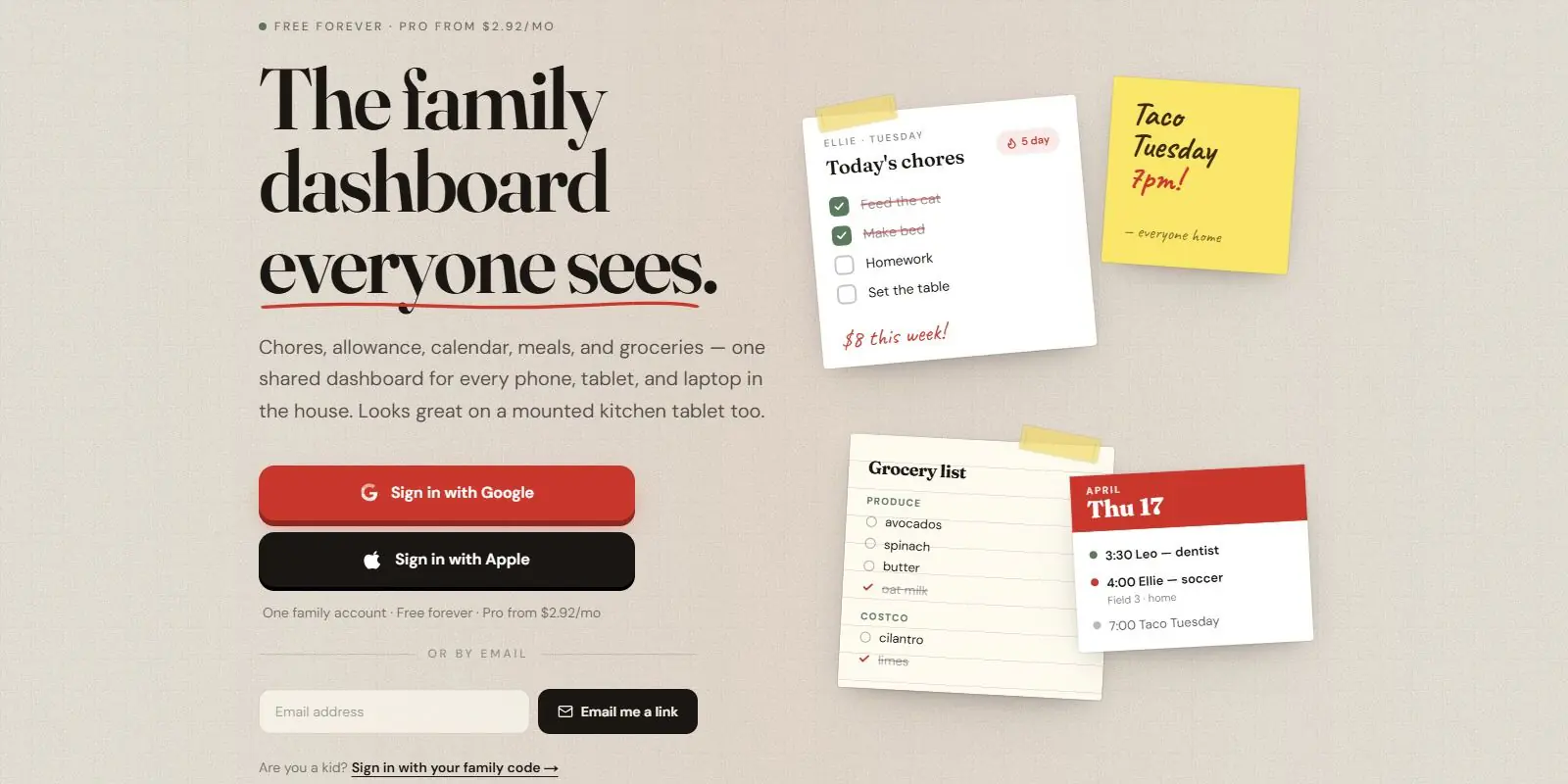
FamilyDash is a hosted dashboard built around one shared household screen: chores, a calendar, a grocery list and a weekly meal plan, kept in sync across every phone, tablet and laptop signed into the same family account. Its own site describes the target setup as "the wall-mounted kitchen tablet," though nothing about the product requires one; the same board works from a phone or a laptop browser (familydash.app, read 2026-09-29). It is built and supported by one developer, Jeremiah Maddock, whose name appears as the App Store seller and whose closing line on the homepage, "Jeremiah & fam," matches that scale (apps.apple.com, familydash.app, read 2026-09-29).
The Google Play listing puts the intended audience plainly: "Families with school-age kids who are tired of group texts about whose turn it is to feed the cat. Parents who want the whole household on the same page without nagging" (play.google.com, read 2026-09-29). It is a weaker fit for someone who wants a personal, single-user widget board rather than a shared family one; DashSuey or Dashly cover that case more directly.
Features worth knowing
Chores rotate between kids automatically so the same child is not always stuck with the dishes, and each kid sees only their own list with a running streak. Allowance is tracked automatically as chores are checked off, though the actual payout feature sits behind Pro. Kids sign in with a family code and a PIN rather than an email address, and a parent PIN can now lock the shared tablet's settings while still letting kids check off their own chores, a change the App Store's "what's new" list dates to the current build (apps.apple.com, read 2026-09-29).
Separate from chores, picture-based routine checklists for morning, after-school and bedtime use icons instead of words, so a child who cannot read yet can still work through the list unprompted; this is free for every household. The calendar connects one outside calendar for free (Apple, Google, Outlook, or a school or sports feed) and unlimited calendars on Pro, and the board can also publish its own events back out to a family member's personal phone calendar. The grocery list sorts items by store aisle rather than alphabetically, accepts additions from any phone, and supports a "Hey Siri, add bananas" shortcut. Checkout runs through Instacart with one tap, covering close to a thousand store banners by the site's own count of nearby chains (familydash.app, read 2026-09-29).
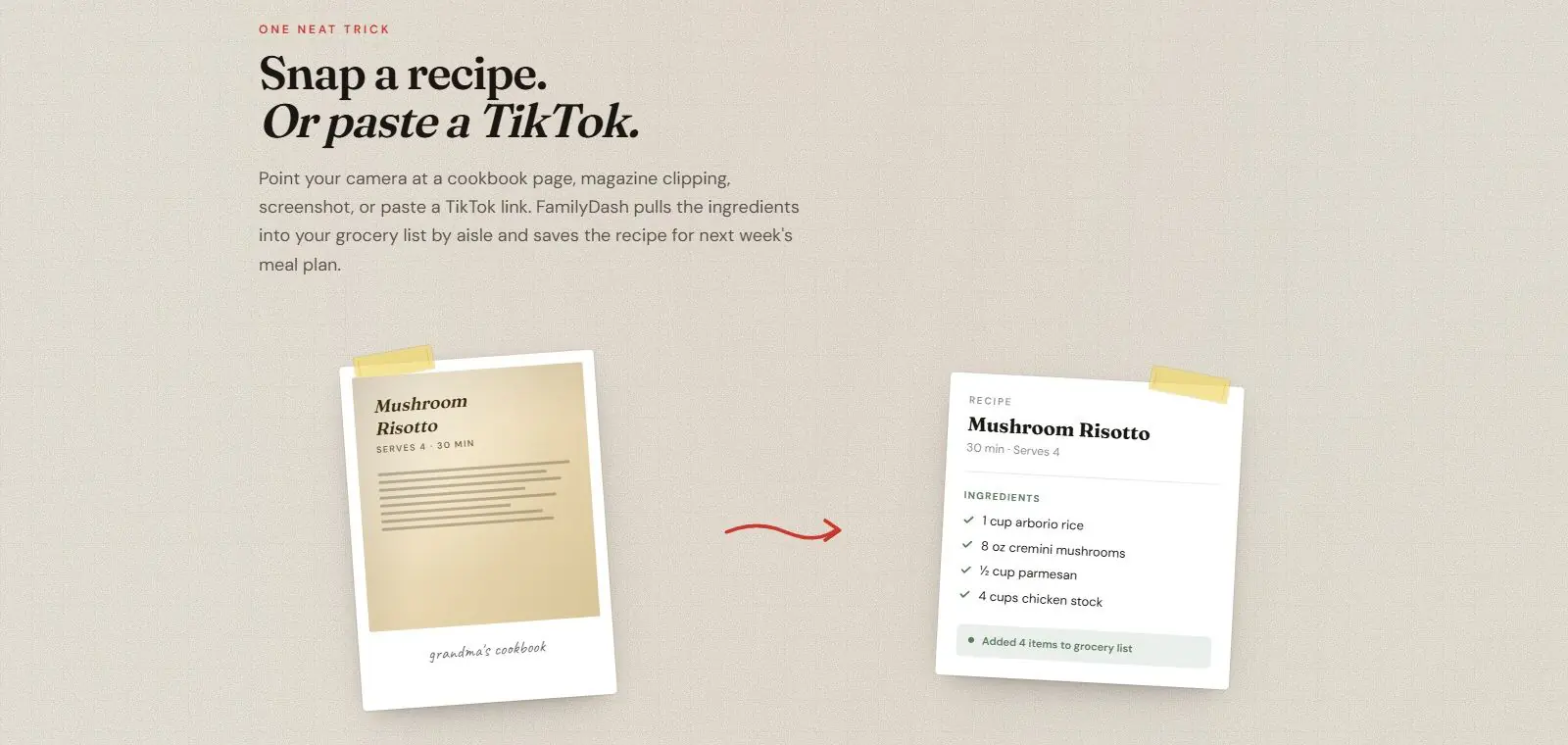
Meal planning lets a parent drag recipes onto specific days, and the grocery list writes itself from whatever is planned. A Pro feature turns a photo of a cookbook page, a magazine clipping or a pasted TikTok link into a saved recipe with its ingredients already sorted into the list. The interface also switches to a dark theme at sunset and is built to run unattended on a screen paired with a kiosk app such as Fully Kiosk, waking on motion rather than staying lit all day (play.google.com, read 2026-09-29).
Getting started
Sign in at familydash.app with a Google account, an Apple account, or an email magic link, or install the app from the App Store or Google Play. No credit card is asked for to start on the free plan. Kids join the same household separately: they sign in with the family's own code plus a personal PIN, so no child needs an email address or a password of their own.
Pricing (checked 2026-09-29)
Free covers unlimited chore tracking, the picture routine checklists, the grocery list with Instacart checkout, a weekly meal planner, a weather tile, unlimited kid accounts, one connected calendar, and push notifications with one reminder per event. FamilyDash Pro is $34.99 billed annually, about $2.92 a month, or $4.99 a month paid monthly, with a 14-day free trial and cancellation any time from the account. Pro adds unlimited connected calendars, up to three reminders per event sent to everyone assigned to it, forwarding a school email straight into the calendar with AI, recipe scanning from a photo or a video link, an auto-fill meal planner, and chore rewards paid out as allowance (familydash.app, apps.apple.com, read 2026-09-29).
Limits and trade-offs
FamilyDash's own Google Play listing does not agree with its website or its App Store listing. Play states Pro costs $4.92 a month billed annually or $6.99 a month paid monthly; the website and the App Store both state $2.92 a month billed annually ($34.99 a year) or $4.99 a month, a real difference rather than a rounding gap (play.google.com, familydash.app, read 2026-09-29). The same Play listing also names Kroger as the one-tap grocery checkout partner, while the website and the App Store both describe checkout through Instacart. Whichever pricing and checkout partner are current, the Play description does not match the other two, and a reader comparing the three would see conflicting numbers.
The Android build is also the newer, less proven side of the product: Google Play shows just 100+ downloads as of this read, against a more developed iOS listing with a version history and store replies from the developer. Grocery checkout through Instacart is also limited to the US and Canada, per the App Store's own listing, so it does not help a household shopping outside those two countries. Support runs through one address, familydashapp@gmail.com, listed on the Google Play page; none of the three listings names a separate support team (play.google.com, read 2026-09-29).
Alternatives
- Dashly, a hosted single-user widget board with bookmarks, weather, world clocks and to-do lists, rather than a shared family screen with chores and kid logins.
- Single Dashboard, a paid command-center dashboard built for multi-monitor desktops and wall screens, with no free tier.
- Family Dashboard, a free shared household screen with a calendar and lists paired to family members' phones by QR code, but with no chore tracking, allowance or meal planner built in.
Questions people ask
How can I create my own dashboard for free?
FamilyDash is one option if what you want is a shared family board rather than a personal one. Create a free account at familydash.app, or install the iOS or Android app, and the free plan covers chore tracking, a grocery list, a weekly meal planner, weather and one connected calendar with no time limit and no card asked for.
What is the best free dashboard app?
There is no single best pick. FamilyDash's own niche is a shared screen a whole household reads from, chores, a calendar, groceries and meals together, rather than a single-user widget board. If you want a personal board you sign into alone, Dashly or Single Dashboard fit that habit better; if you want a shared family screen instead, Family Dashboard is the closer comparison.
How do I view my dashboard?
Sign in at familydash.app from any phone, tablet or laptop, or open the iOS or Android app. A tablet mounted on the fridge or a kitchen wall can run the parent view all the time. Kids sign in on their own phone, or the same shared tablet, with a family code and a PIN, no email address needed.
Sources
- familydash.app, read 2026-09-29
- App Store listing, read 2026-09-29
- Google Play listing, read 2026-09-29
- DashSuey product information (dashsuey.com), checked 2026-09-29
Last checked 2026-09-29.
Last checked