Write-up
Infinity New Tab: icon folders and rotating wallpapers
New tab extension with icon folders, HD wallpapers, weather and cloud-synced bookmarks.
Infinity New Tab replaces your browser's new tab with icon folders and rotating HD wallpapers. Here is what's actually free and what its Pro sibling adds.
At a glance
- Type: browser extension that replaces the new tab page with icon folders and a rotating wallpaper (infinitynewtab.com, read 2026-09-29)
- Pricing: free to install, no account required (Chrome Web Store, read 2026-09-29)
- License: proprietary, published by CQ Sentinel E-commerce Co. LIMITED (privacy policy, read 2026-09-29)
- Install: Chrome Web Store, Microsoft Edge Add-ons
- Platforms: Chrome, Edge
- Links: infinitynewtab.com · Chrome Web Store listing
- Price
- $0 USD, checked (source)
Last checked
Screenshots
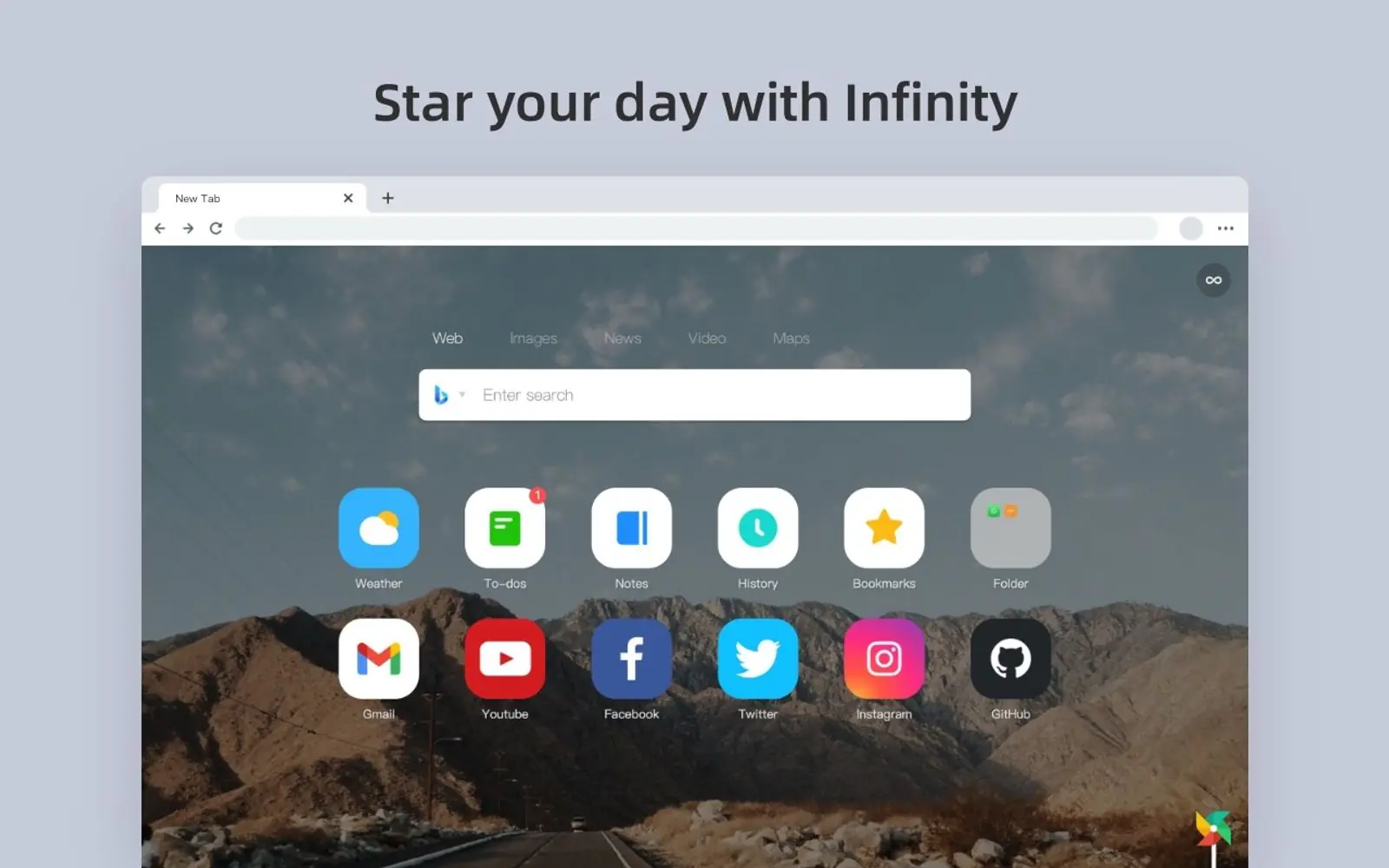
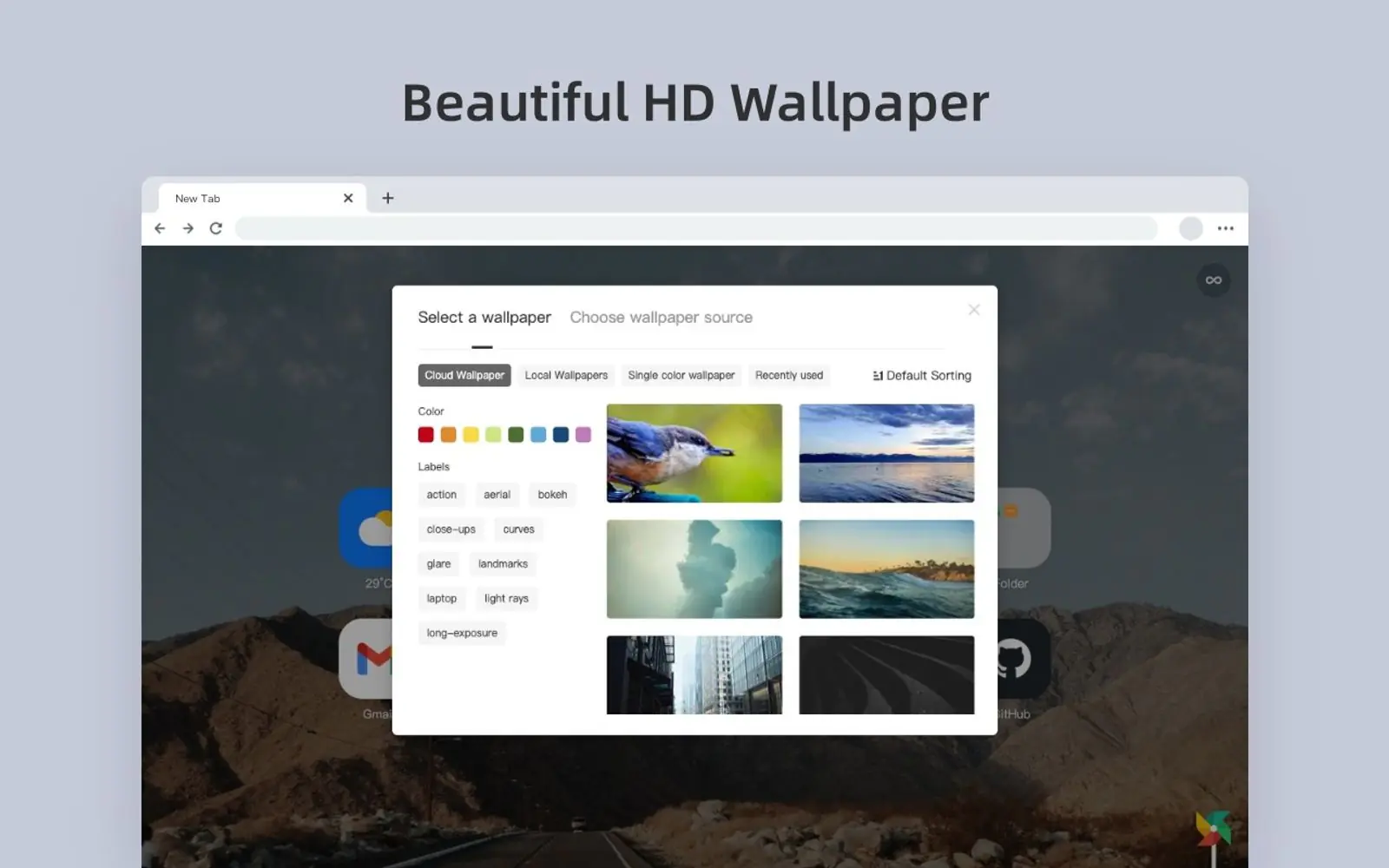
What it is and who it's for
Infinity New Tab replaces the browser's new tab page with a grid of icon folders, arranged however the visitor likes, over a rotating HD wallpaper. It is built and published by CQ Sentinel E-commerce Co. LIMITED, under the brand name Infinity (privacy policy, read 2026-09-29). The Chrome Web Store lists it at version 11.0.43, updated August 26, 2026, with 400,000 users recorded on that listing (chromewebstore.google.com, read 2026-09-29). It is also published on Microsoft Edge Add-ons under the same developer, listed there in Chinese as 重庆哨兵电子商务有限公司 (microsoftedge.microsoft.com, read 2026-09-29). It is not on Firefox Add-ons; a search of that store today turned up no matching listing.
It suits someone who wants fast, visual access to a set of frequently used sites grouped into folders, with a wallpaper behind them that changes on its own. It is a poor fit for anyone after a data-driven dashboard: the feature set stops at folders, a wallpaper and a couple of small extras like a notepad and a to-do list, with no widget catalog, calendar sync or task manager integration behind any of it.
Features worth knowing
The core pitch is icon management: quick shortcuts to popular sites in a flat design style, grouped into folders so a large set of bookmarks does not turn into clutter. Wallpapers rotate through what the store listing describes as 365 images picked from a pool of 35,000, one new wallpaper a day, or a visitor can set a photo of their own instead (chromewebstore.google.com, read 2026-09-29).
Past that, the feature list is short: a Gmail unread-mail reminder, a basic to-do list, a notepad for jotting things down, a browsing history view, and cloud backup so the same setup follows a signed-in account across devices. A handful of the default icons point at merchants, including eBay through its Partner Network, and per the privacy policy, Amazon, Taobao, Jingdong and Ctrip, through affiliate links that pay the developer a commission on a completed purchase. The listing states these only activate on a visitor's own click and can be deleted at any time (Chrome Web Store, privacy policy, both read 2026-09-29).
Getting started
Add it from the Chrome Web Store or Microsoft Edge Add-ons, then accept the browser's own prompt to keep it as the new tab page. No account is required for the icon folders, wallpaper rotation or to-do list. Signing in only matters for cloud backup and syncing that setup across devices.
Pricing (checked 2026-09-29)
Infinity New Tab is free to install, and its Chrome Web Store listing carries no in-app purchase tag. The same developer also publishes a second, near-identical extension called Infinity New Tab (Pro), also free to install and also without an in-app purchase tag (chromewebstore.google.com/detail/infinity-new-tab-pro, read 2026-09-29). The privacy policy shared across both names a recharge function and keeps payment records, which implies a paid feature exists somewhere in the product family, but neither store listing nor the policy itself states a price or names what a payment buys.
Limits and trade-offs
The free extension and its Pro sibling are two separate installs from the same developer, with near-identical descriptions, screenshots and permissions. Nothing on either listing explains what actually differs between them, so there is no clear reason to pick one over the other.
It ships on Chrome and Edge only. A search of Firefox Add-ons for "infinity new tab" today returned no matching listing, so anyone on Firefox has no equivalent to install.
Several of the default icons are affiliate shortcuts that earn the developer a commission, disclosed openly as an eBay Partner Network affiliation. They can be removed, but they are there from the first install.
The developer has not identified itself as a trader on either store listing. Chrome's own notice on that listing states that consumer rights do not apply to a contract between a European Union resident and a developer in that position.
Outside the Chrome and Edge listings, infinitynewtab.com is the product's only public page: one static screen with no blog, no sitemap and no version history, so there is nowhere on the site itself to read what has changed between releases.
Alternatives
- Momentum, a simpler new tab extension built around a single photo, quote and to-do list rather than icon folders.
- Bonjourr, an open source, minimalist new tab with quick links and its own backgrounds.
- Tab Widgets, which trades icon folders for a much larger grid of live widgets.
- Anori, open source, with folders, widgets and custom themes, a closer structural match to Infinity's own folder system.
- Awesome New Tab Page, a drag-and-drop tile grid with weather and crypto tiles behind its own wallpaper.
Questions people ask
What is the best new tab extension for Chrome?
There is no single best pick. Infinity New Tab's own niche is icon folders and a rotating HD wallpaper, with weather and a to-do list as secondary features, not a main pitch. If you want a wider grid of live widgets instead, Momentum, Bonjourr or Tab Widgets fit a different habit.
How do I open a new tab extension in Chrome?
Install Infinity New Tab from the Chrome Web Store or Microsoft Edge Add-ons, then accept the browser's own prompt to keep it as your new tab page. No account is required to use the icon folders, wallpaper rotation or to-do list.
How to get Chrome tabs back to normal?
Remove Infinity New Tab from chrome://extensions, or the equivalent extension manager in Edge. The browser's own default new tab returns as soon as the extension is gone.
Sources
- infinitynewtab.com, read 2026-09-29
- Chrome Web Store listing, read 2026-09-29
- Infinity New Tab (Pro) listing, read 2026-09-29
- Privacy policy, read 2026-09-29
- Microsoft Edge Add-ons search, read 2026-09-29
- Firefox Add-ons search, read 2026-09-29
- DashSuey product information (dashsuey.com), checked 2026-09-29
Last checked 2026-09-29.