Write-up
start.me
Bookmark-based start page with widgets, page sharing and AI features.
start.me organizes your bookmarks into a custom start page with widgets, then shares it as your new tab. Here is what the free plan covers and what PRO adds.
At a glance
- Type: hosted personal start page and bookmark manager (start.me, read 2026-09-29)
- Pricing: freemium; Personal Free is capped at 3 pages with ads, Personal PRO is $25 a year, ad-free and uncapped (start.me/pricing, read 2026-09-29)
- License: closed source; no source repository or license statement found
- Install: works in any browser at start.me, with matching Chrome, Firefox and Edge extensions (start.me/chrome, read 2026-09-29)
- Platforms: web, Chrome, Firefox, Edge
- Links: start.me · features · pricing
- Paid plans from
- $25 USD, checked (source)
Last checked
Screenshots
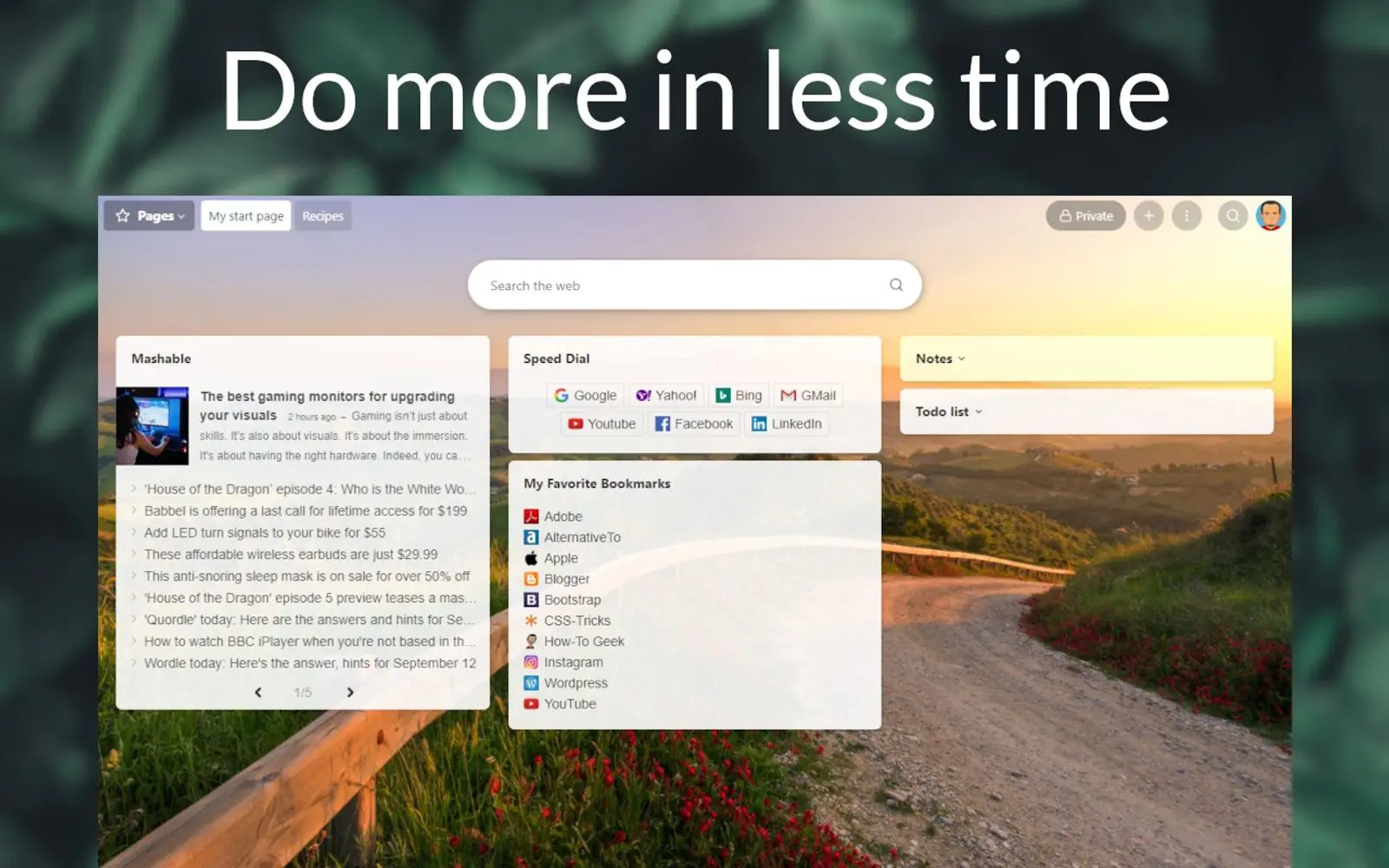
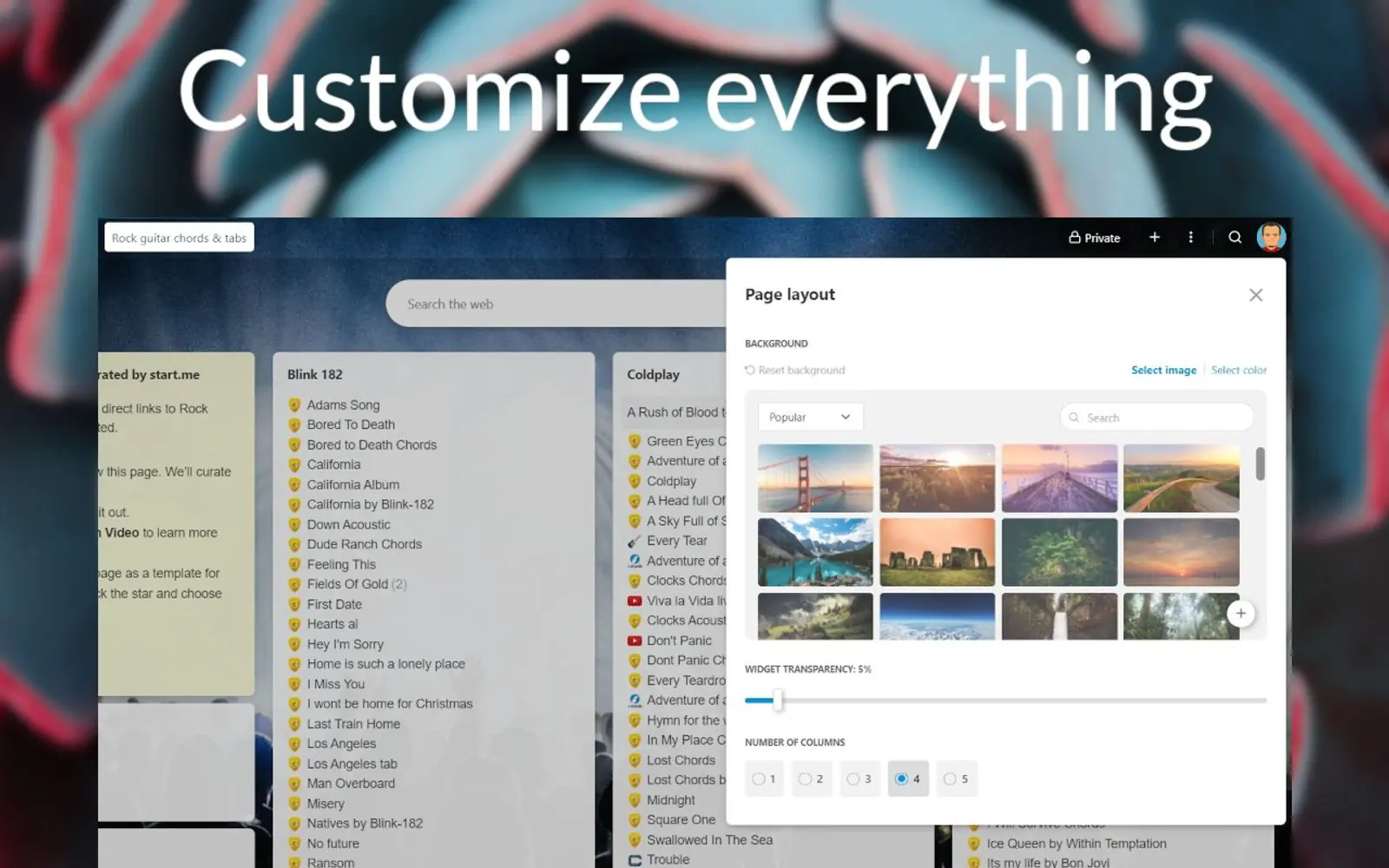
What it is and who it's for
start.me pairs a bookmark manager with a widget board. You save links into folders and widgets, then lay the whole thing out on one page that can double as your browser's homepage or new tab (source: start.me/chrome, read 2026-09-29). Its own homepage frames the pitch as reducing "digital chaos": one place for the sites, feeds and tools someone opens every day, rather than a flat bookmarks bar or a search each time (read 2026-09-29).
It is built by start.me BV, per the footer copyright line on its pricing page (read 2026-09-29). Beyond individual use, it also sells to organizations: a Team plan with shared workspaces, single sign-on and a branded domain, and an Enterprise plan on top of that. Those sit outside what this page covers, which is the personal, individual product.
Its own onboarding puts the product in four steps: create a free account, build a start page from widgets, share it as private, team-only or public, then install the matching browser extension so that page opens as the new tab (source: start.me, read 2026-09-29). That order says something about who it suits: someone managing enough bookmarks and daily tools that a folder structure and a shared page are worth setting up, more than someone who wants a handful of live tiles with nothing to organize.
Features worth knowing
Bookmarking is the deeper half of the product: one-click saving through the browser extension or a mobile app, import and export from any browser or file, grouping into folders and widgets, and an AI feature called "Refine with AI" that tidies titles, sorts links, and suggests sites to add, gated to the PRO plan (source: start.me/features, start.me/pricing, both read 2026-09-29).
The widget side covers more than 30 standard widgets available on every plan: RSS and news feeds, notes, a task list, a search bar, analog clocks and world time zones, a Pomodoro focus timer, live charts, embedded pages or video, market and stock tracking, and weather. Nine more widgets are reserved for PRO (source: start.me/pricing, read 2026-09-29).
Sharing runs on a spectrum: a page can stay private, go out to specific people, or publish into start.me's own community directory, organized by category such as OSINT, crypto, cybersecurity and templates. Team and Enterprise plans add single sign-on, SAML, a custom team domain and an admin console, though those are organizational features rather than something a personal user needs.
Getting started
Creating an account is free and is the first of the four steps start.me's own homepage walks through. After that, you add bookmarks and widgets to build the page, decide whether to keep it private or share it, then install the matching browser extension, Chrome, Firefox or Edge, so the page opens every time a new tab does (source: start.me, start.me/chrome, both read 2026-09-29). Anyone can also browse an existing public page from the community directory at start.me/pages without creating an account first.
Pricing (checked 2026-09-29)
Personal Free costs nothing: unlimited widgets and bookmarks, but capped at 3 start pages, and it carries advertising. Personal PRO is $25 a year: unlimited pages, no ads, the 9 extra PRO widgets, and the AI bookmark tools. A Team plan adds shared workspaces and 10 included PRO licenses, and Enterprise goes further with a branded domain, an admin console and single sign-on; neither Team nor Enterprise lists a public price on the page read (source: start.me/pricing, read 2026-09-29).
Limits and trade-offs
The free plan's 3-page cap is a real ceiling if you want separate pages for personal use, work and a side project; all three will not fit without upgrading. Ads run on every free-plan page, and removing them requires the $25-a-year PRO plan; there is no ad-free free tier. Team pricing is not published anywhere on the pricing page, unlike Personal PRO's plainly stated figure, so anyone comparing plans for a group has to ask directly. The AI bookmark-tidying feature is PRO-only, so trying it means upgrading first rather than testing it on the free plan.
Alternatives
Questions people ask
What is the difference between a widget and a dashboard?
On start.me, the dashboard is the start page itself: the whole layout of columns you see when you open a new tab. A widget is one block placed on it, a bookmark folder, a notes pad, an RSS feed, a weather tile. start.me ships more than 30 standard widgets on every plan, plus 9 more reserved for the paid PRO plan.
How do I add a widget to my dashboard?
start.me's own onboarding puts this as the second of four steps: create a free account, then build your start page by adding your favorite websites, news feeds, notes and widgets directly onto it. There is no separate install step for a widget; it is added the same way a bookmark is.
What is the best free dashboard app?
There is no single best pick. start.me's free plan gives unlimited widgets and bookmarks, but caps you at 3 start pages and shows advertising. If that is too limiting, Personal PRO removes the ads and the page cap for $25 a year.
Sources
- start.me, read 2026-09-29
- start.me/features, read 2026-09-29
- start.me/pricing, read 2026-09-29
- start.me/chrome, read 2026-09-29
- DashSuey product information (dashsuey.com), checked 2026-09-29
Last checked 2026-09-29.
Last checked